Problem description
Rotation sensor with black glass LED - Mobi. This sensor is located on the right side (chain case) of the bike. The connection fits the ASI controller.
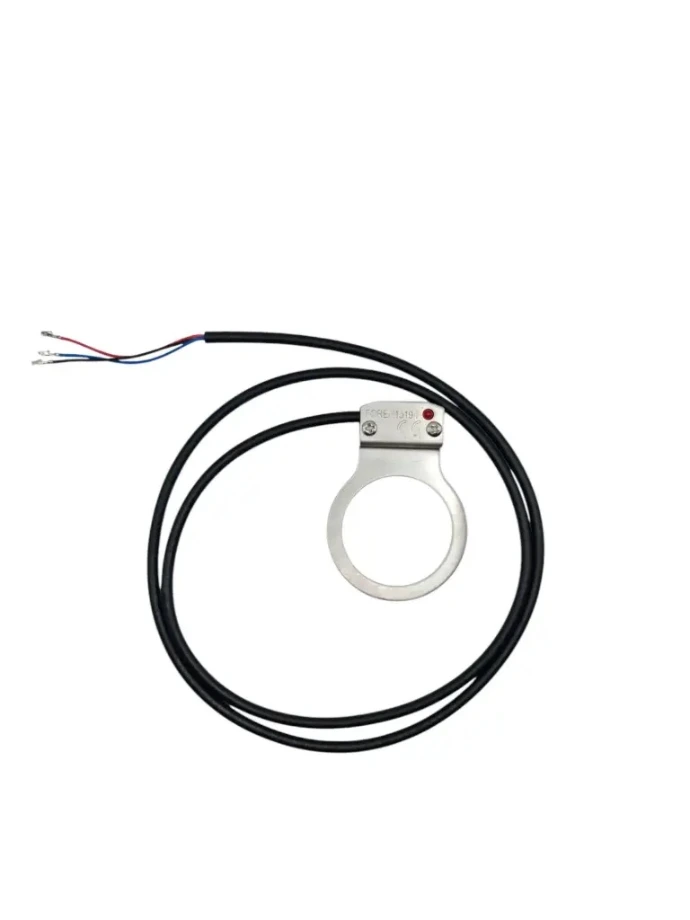
Preparation
Make sure you are working with the correct parts and tools. Turn off the bike and remove the battery before you start the work.
Dismantling old rotation sensor
1. Remove the battery
2. Remove the chain case
3. Loosen the chain
4. Dismantle both cranks
5. Unscrew the left bottom bracket cup
6. Then unscrew the right bottom bracket cup as well
7. Remove the bottom bracket
Pay close attention to where the rotation sensor is mounted - take a photo for reference if necessary.
8. Remove the cover from the controller box
Installation of new rotation sensor
1. Pull the new rotation sensor up through the frame
2. Mount the sensor in the controller
3. Check the operation before you continue assembling
- Use a loose bottom bracket and magnet disc to check if the sensor works before you assemble everything.
Assembly
1. Place the bottom bracket back in the frame
2. Screw the left cup halfway onto the bottom bracket
3. Position the rotation sensor correctly on the right side of the bottom bracket
4. Tighten the right bottom bracket cup completely
5. Now also tighten the left cup completely
6. Install the magnet disc
Pay attention to the correct rotation direction of the disc.
7. Reinstall both cranks
8. Install and adjust the chain
Testing
1. Test the bike without the chain cover and the controller box lid
- Check if the sensor responds well to pedaling.
- Adjust the position of the sensor or magnet disc if necessary.
Can't figure it out?
Our technical support team will immediately assist you with troubleshooting and finding the right parts.
 Quality
 Service
 Availability