About this part
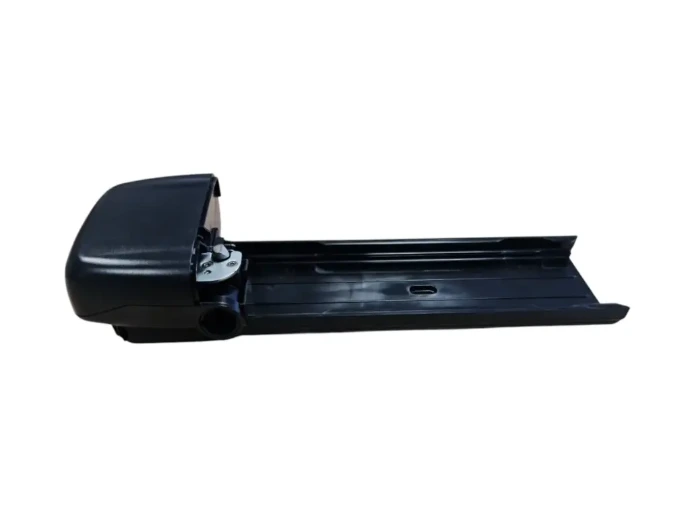
This work instruction describes how to replace the battery tray of a Stella Eleon with a new Eleon battery tray.
Step-by-step plan
1. Remove the cover of the controller box
- Unscrew the controller box cover and take it off.
- Use the Torx 10 (item 55155), as shown in image 1.
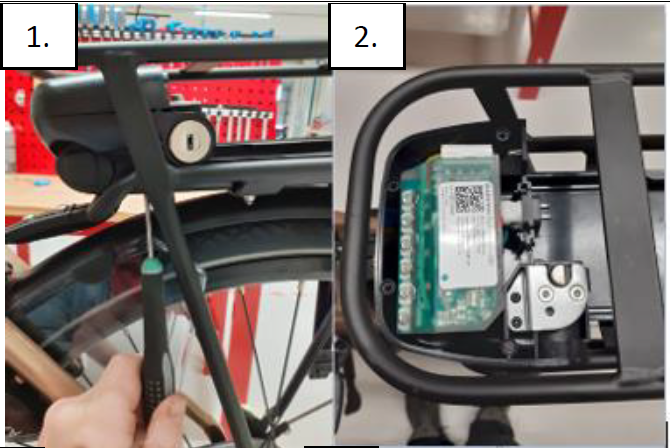
2. Disconnect the cables
- Disconnect all cables and remove the controller.
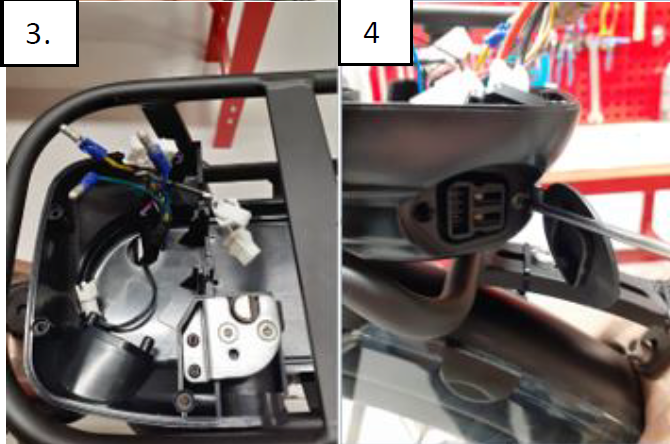
3. Pull the cables back
- Pull the cables back through the round hole in the tray.
4. Unscrew the charging plug
- The charging plug is secured with 2× Torx 10.
- Use the same Torx 10 as in image 1.
5. Loosen the battery tray
- Loosen the 5 Allen bolts that secure the battery tray.
- These are recessed Allen-3 screws with an M4 nut and a washer at the bottom.
- Use the 3 mm Allen key and the 8 mm open-end wrench for this.
6. Transfer the lock mechanism
- Use the 2 mm Allen key to loosen the cylinder of the lock.
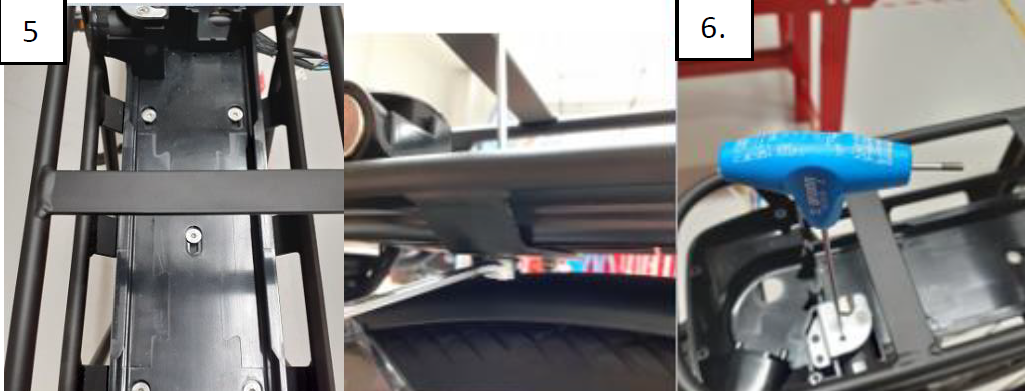
Don't forget to transfer the lock mechanism to the new tray.
7. Install the new battery tray
- Once everything is loose, the new tray can be installed.
- Use the screws from the old tray for this.
Can't figure it out?
Our technical support team will immediately assist you with troubleshooting and finding the right parts.
 Quality
 Service
 Availability